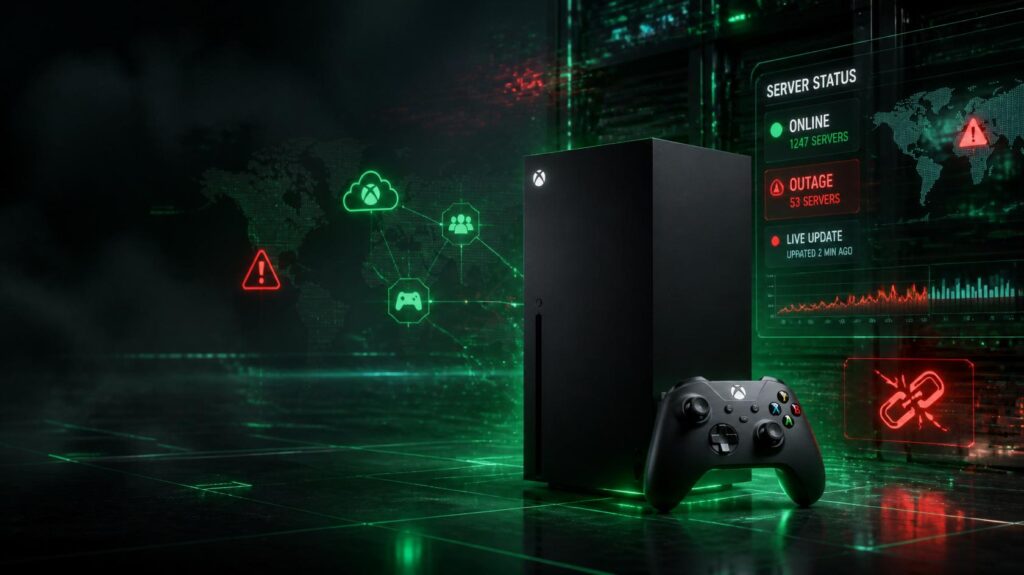
Online gaming has become an essential part of the Xbox experience, but nothing is more frustrating than launching your favorite game only to discover that multiplayer is unavailable or Xbox Live refuses to connect. Searches for Xbox Server Status increase dramatically whenever players encounter login errors, matchmaking failures, or interrupted online services.
Understanding why these outages happen can help you determine whether the problem is with Microsoft’s servers, your internet connection, or the game itself.
What Does Xbox Server Status Mean?
Xbox Server Status indicates the health of Microsoft’s online gaming infrastructure. It covers every major service required for Xbox users to enjoy online features, including:
- Account authentication
- Multiplayer matchmaking
- Xbox Cloud Gaming
- Xbox Game Pass verification
- Digital purchases
- Party Chat
- Friends and social features
- Cloud save synchronization
When any of these services experience technical difficulties, players may notice errors across Xbox consoles, Windows PCs, and cloud gaming devices.
Why Do Xbox Servers Go Offline?
Many people assume server outages happen because of hackers or cyberattacks, but there are several possible causes.
Heavy Player Traffic
Major game launches, holiday events, and seasonal updates often attract millions of players simultaneously. A sudden increase in traffic can temporarily overload network infrastructure, causing slower logins or matchmaking delays.
Planned System Maintenance
Microsoft regularly performs maintenance to improve reliability and security. During these periods, some services may become temporarily unavailable while upgrades are completed.
Technical Infrastructure Problems
Like any large cloud platform, Xbox depends on thousands of servers across multiple regions. Hardware failures, networking issues, or software bugs can occasionally interrupt service until engineers resolve the problem.
Individual Game Server Issues
Not every online issue is caused by Xbox Live itself. Many popular games operate their own dedicated servers. If only one title refuses to connect while everything else works normally, the issue likely belongs to that game’s servers rather than Microsoft’s network.
Symptoms of an Xbox Server Outage
When Xbox services experience problems, users commonly report:
- Unable to sign in
- Long loading screens
- Multiplayer unavailable
- Friends list not loading
- Party chat disconnecting
- Store purchases failing
- Cloud saves not syncing
- Game Pass verification errors
Experiencing several of these problems at the same time usually suggests a broader service interruption.
How to Determine Whether the Problem Is Local
Before assuming Xbox Live is down, perform a few quick checks.
Restart your Xbox console and your internet router. Test another online device in your home to verify your internet connection is working correctly. If possible, launch another online game. If only one game fails while others connect normally, the problem is probably game-specific.
Running the Xbox network test from your console settings can also identify local connectivity problems.
Can You Continue Playing During an Outage?
Yes, depending on the situation.
Many single-player games remain fully playable without Xbox Live. Games that require constant internet access or online authentication may remain unavailable until services are restored.
If you own physical game discs, you may still be able to enjoy offline content even during network disruptions.
How Long Do Xbox Outages Usually Last?
Most service interruptions are resolved relatively quickly.
Small regional problems may disappear within a few minutes, while larger outages affecting multiple services can last several hours. The recovery time depends on the underlying technical issue and the number of services affected.
Tips to Reduce Connection Problems
Although you cannot prevent Xbox server outages, you can reduce the likelihood of local connection issues by following a few best practices.
- Keep your Xbox updated with the latest system software.
- Use a stable broadband connection.
- Connect through Ethernet whenever possible.
- Restart networking equipment occasionally.
- Avoid downloading large files while gaming online.
These simple habits can improve connection quality during normal operation.
Frequently Asked Questions
Why can’t I connect to Xbox Live?
The issue may be caused by an Xbox service outage, scheduled maintenance, your internet connection, or a game-specific server problem.
Are Xbox servers the same worldwide?
Microsoft operates servers in multiple regions. Some outages affect every player globally, while others impact only specific countries or data centers.
Does restarting the console fix server outages?
Restarting may resolve temporary device or network issues, but it cannot restore Microsoft’s servers if they are experiencing downtime.
Is Xbox Cloud Gaming affected during outages?
Yes. If cloud services are impacted, users may experience long queues, failed launches, or connection errors until the issue has been resolved.
Final Thoughts
Checking the Xbox Server Status should always be your first step whenever online gaming suddenly stops working. Most issues are temporary and resolved by Microsoft without requiring any action from players. Knowing the difference between a server outage and a local network problem can save time and unnecessary troubleshooting.
By keeping your console updated, maintaining a reliable internet connection, and understanding how Xbox’s online services operate, you can get back to gaming as quickly as possible whenever interruptions occur.